Automation

How Brands Use Web Scraping to Track Prices Across Global Marketplaces

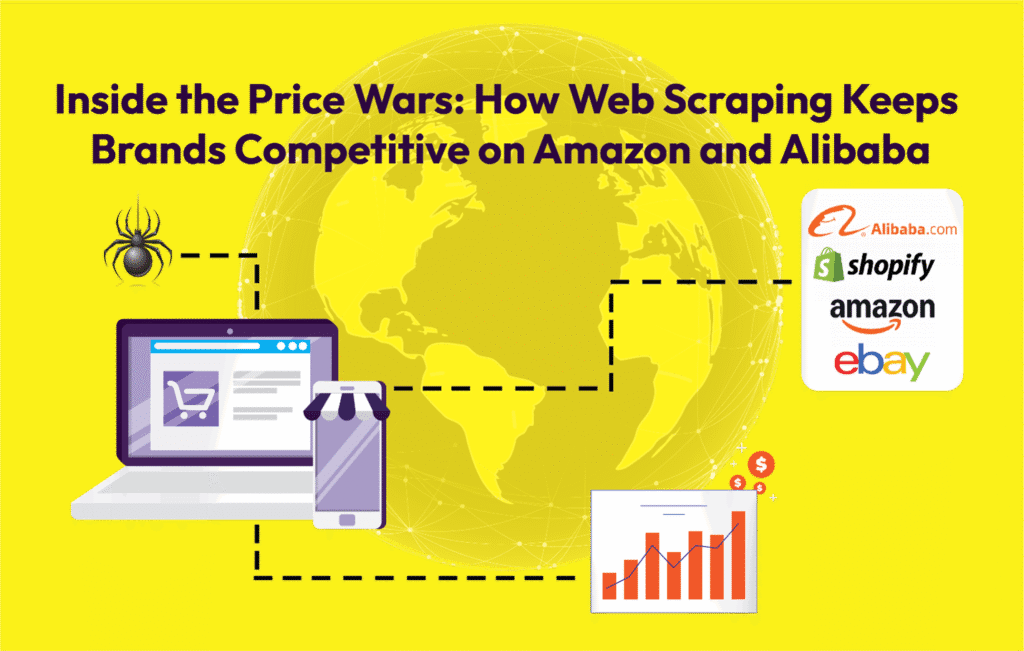
In the borderless eCommerce economy of today, price is one of the most important elements that make or break a customer’s decision to buy your product or that of a competitor. With platforms such as Amazon, Alibaba, eBay, and Flipkart carrying millions of listings, brands often struggle to track how their products and those of their competitors are priced across different regions, making price monitoring a constant challenge. For global brands, manual tracking of these changes is not only inefficient but impossible. That is where web scraping has emerged as a go-to solution for international brands. In this article, we’ll explore the complete landscape of price tracking and its role in shaping eCommerce strategy. We’ll start by understanding why brands track prices across platforms and how it directly affects their revenue and competitiveness. Then, we’ll uncover how web scraping powers price tracking, exploring the tools, methods, and automation that enable it. We’ll also look at the complexity and data variety across global marketplaces, highlighting the technical challenges involved. From there, we’ll examine what types of data are collected and how this information fuels actionable business insights. Finally, we’ll discuss the real-world business impact and wrap up with the challenges and best practices that ensure accuracy, compliance, and scalability in price tracking systems.   Why Brands Track Prices Across Platforms Price tracking enables brands to stay competitive and profitable in an ever-changing digital market. Whether monitoring competitors’ discounts, understanding regional price differences, or adjusting in real-time to supply and demand, it’s the continuous and accurate tracking that makes sure businesses do not miss opportunities or erode margins. For instance: A brand on Amazon can track how rival sellers change prices during seasonal events. One can monitor the trend of international buyers on Alibaba and accordingly adjust their exports. Retailers can optimize pricing strategies across regions without losing visibility. In other words, tracking is no longer optional; it’s the backbone of eCommerce intelligence.   How Web Scraping Powers Price Tracking Web scraping can automate the process of gathering product prices, SKUs, availability, and promotions through hundreds or thousands of product listings on multiple websites. Scraping Solution utilizes tools like Python, Selenium, and APIs to create structured pipelines that fetch, clean, and deliver pricing data continuously in real time. The process looks like this: Identify Target URLs: Pages from marketplaces like Amazon, Alibaba, eBay, or Shopify-based stores. Extract Key Elements: Product title, price, discount, stock status, and seller name. Normalize Data: Standardize the currency, handle missing values, and remove duplicates. Deliver Insights: Export data in dashboards, APIs, or CSVs for analysis. This automated cycle lets brands monitor pricing shifts on an hourly basis, not monthly, and make agile responses. Platform Complexity and Data Variety Tracking across Amazon or Alibaba is not straightforward. Each of these platforms builds up its pages differently, using dynamic elements, while very often prices are hidden behind filters or JavaScript-loaded components. This means that generic scrapers fail fast, whereas custom scraping systems adapt to platform architecture for accuracy and reliability. Our systems handle: Multilingual listings Dynamic prices rendered by JavaScript Currency conversions Variations at the seller level: FBA vs third-party Product bundles and promotional pricing This adaptability ensures that no crucial pricing detail falls through the cracks.   What Data Is Collected Full price tracking scraper captures: Product titles and URLs Current and historical prices Discount percentages Stock status and availability Seller IDs and regions Date/time of last update Visualized, this information uncovers pricing trends, competitor moves, and market health in a go-to view that enables decision-makers to move with speed and accuracy. How It Translates into Business Impact Accurate price tracking fuels several key areas: Competitive Pricing: Dynamically adjust the prices to stay ahead of the competition. Revenue Optimization: Using real data so as not to under- or over-price. Product Strategy: Identify profitable regions or demand spikes. Brand Protection: Identify unauthorized sellers or inconsistent listings. Through visibility into the markets, the brands can make decisions based on facts, rather than estimates. Challenges and Best Practices Even with automation, price tracking faces some problems: Web structures tend to change often, so scrapers need maintenance. Some data is behind authentication or dynamic rendering. Scaling requires robust proxies and IP rotation systems. Scraping Solution, therefore, counts on best practices from ethical scraping protocols to strong data validation for clean, compliant, and real-time outputs. Scraping Solution: The Digital Bridge for Real-Time Market Insight  At Scraping Solution, we act as the digital bridge between marketplaces and decision-makers. Our scraping infrastructure turns chaotic, scattered pricing data into clean, connected insights. With our systems, brands don’t just monitor prices; they understand them. In eCommerce, each second counts, and with Scraping Solution, each second is tracked, analyzed, and optimized.

Pydoll – Is This the End of WebDrivers in Python Browser Automation?

How Pydoll Browser Automation is Transforming Web Scraping In the fast-paced realm of web scraping, efficiency is paramount. Traditional tools like Selenium and Playwright, while robust, often grapple with performance bottlenecks due to their synchronous operations. At Scraping Solution, our relentless pursuit of more agile and responsive alternatives led us to an emerging gem in the field: Pydoll. From relying on the synchronous functionality of web drivers that follow a strict sequential order where each task must be completed before the next one begins. We have seen selenium and playwright with driver-dependent architecture. Traditional web scraping libraries like requests or Selenium work synchronously. Synchronous functionality in web scraping refers to sending a request and waiting for a response before moving to the next request. This methodology results in delays, especially when dealing with hundreds or thousands of URLs. These libraries require plugins, offer limited callbacks, and support for basic evasion. Pydoll has been introduced that’s transforming the landscape of browser automation. It has taken the initiative of eliminating the need for traditional webdrivers by delivering native asynchronous performance. This feature includes handling thousands of concurrent connections, better utilization of system resources, having more responsive applications, and enabling cooperative multitasking. Unlike legacy or traditional tools like Selenium, that rely on browser-specific drivers such as ChromeDriver, GeckoDriver, and EdgeDriver, Pydoll innovates by leveraging direct browser communication protocols, by offering a more stable and efficient automation experience. In this article, we will explore how Pydoll stands apart in the crowded automation landscape by introducing its innovative features and will delve into its asynchronous architecture to human-like interaction patterns. Also, we will see how Scraping Solution empowers clients with Pydoll. Core Features of Pydoll: Below we will discuss Pydoll’s market leading innovations. WebDriver-less Architecture The disruptive innovation of Pydoll that the world had witnessed is the elimination of WebDriver intermediaries. Traditional tools like Selenium that created compatibility headaches and maintenance overhead and require matching driver versions to browser versions are now bypassed by Pydoll. It directly communicates with browsers via native protocols that reduces setup complexity and improves reliability. These features allow for simplified setup, enhanced stability, and cross-browser consistency. Native Asynchronous Design Pydoll’s async paradigm allows concurrent execution of multiple browser sessions by getting rid of Selenium’s synchronous blocking calls. This factor significantly boosts performance for scalable automation. Pydoll enables non-blocking operations for tasks like page navigation, element interaction, and network monitoring. This provides real-world scalability for web scraping, where parallel page processing is critical. Human-Like Interaction Patterns Created with the aim to mimic human browsing, developers have integrated behavioral algorithms with variable typing speed, mouse movement trajectories, and randomized delays that make Pydoll a human-like interaction library. This makes it hard for anti-bot systems like Cloudflare, and reCAPTCHA to detect automation. Also, Pydoll has built in CAPTCHA handling.   Comparative Analysis of Pydoll with Selenium, Scrapy, and Beautiful Soup   Features Pydoll Selenium Scrapy Requests Asynchronous Execution Yes No Yes No Speed & Performance High Slow High Slow Handling JavaScript Yes Yes No No Ease of Use Simple Complex Moderate Simple Resource Consumption Low High Low Low For businesses needing scalable and undetectable web scraping services, Pydoll offers a clear performance advantage. Real-World Applications of Pydoll As the traditional web scraping tools struggle with IP blocking from anti-bot systems, rate limiting, CAPTCHAs, resource-intensive concurrent operations, and maintaining session state across thousands of requests. Here, Pydoll’s native async architecture allows simultaneous processing of hundreds of pages within a single thread, a capability we integrate into our automation and scraping services for enterprise clients. As common CI/CD challenges are faced by traditional web drivers like, Browser tests as the slowest pipeline stage, resource contention in shared environments, artifacts lacking debugging context, and inconsistent environments causing false failure are now bypassed by Pydoll’s pipeline as it provides lightweight headless execution with minimal resource overhead. What are the best practices to adopt for maximizing Pydoll’s experience? The following are best practices for coders to implement and maximize the experience of coders. Adopting asynchronous execution throughout the code for best performance. Utilize precise selectors (IDs, unique attributes) for reliable element hunting. Carry out error handling with try/except blocks around high-priority procedures. Make use of the event system instead of polling for state changes. Appropriately terminate resources with async context managers. Hang on for elements instead of fixed sleep delays. Use practical interactions like type_keys() to avoid detection. Upcoming Features of Pydoll Auto-detection of Cloudflare Captcha  Fingerprint Generation & Rotation Proxy Rotation  Shadow DOM Access  As businesses rely on high-quality data. They are always seeking reliable, scalable, and undetectable web scraping, automation, and data mining services that can enhance their business growth. Scraping Solution is ready to provide its clients with Pydoll-powered solutions and deliver unmatched efficiency. Whether it’s competitive intelligence, real-time market data, or automated workflows, we are always ready to provide High-Speed Data Extraction, Anti-Detection Bypass, Structured Data Pipelines, and Custom Automation. Whether it’s competitive intelligence, real-time market data, or automated workflows, we are always ready to provide web scraping and automation services powered by Pydoll

Unveiling the Email Marketing Services & Software to Supercharge Your Campaigns

Unveiling the Email Marketing Services & Software to Supercharge Your Campaigns Introduction: In the fast-paced world of digital marketing, email remains a cornerstone for businesses seeking to engage with their audience effectively. Choosing the right email marketing service can make a substantial difference in your campaigns’ success. This comprehensive guide delves into the best email marketing services and software available in 2024, highlighting their key features, strengths, and unique offerings. In the dynamic landscape of digital marketing, crafting compelling and impactful email campaigns remains an essential strategy for businesses seeking to connect with their audience. As the heartbeat of communication in the online realm, email marketing demands a meticulous choice of services and software to ensure campaigns are not only effective but also seamlessly executed. In this comprehensive guide by Scraping Solution, we embark on a journey to unveil and dissect the best email marketing services and software available in 2024. From industry giants to niche players, each platform boasts unique features, strengths, and capabilities aimed at supercharging your campaigns and propelling your brand towards heightened success in the ever-evolving world of digital communication. 1. Mailchimp Recognized for its user-friendly interface and robust features.Mailchimp Offers customizable templates, automation, and advanced analytics.Suitable for both small businesses and large enterprises. Pros: Generous free plan, user-friendly interface, customizable templates.Cons: Limited automation on the free plan, pricing can escalate with increased subscribers. 2. Constant Contact Constant Contact is Ideal for beginners with its intuitive drag-and-drop editor.Provides email automation, social media integration, and detailed analytics.Boasts excellent customer support and educational resources. Pros: Intuitive drag-and-drop editor for easy email creation, making it ideal for beginners and small businesses.Cons: Limited automation capabilities on the free plan. 3. Sendinblue Known for its affordability and comprehensive features.Sendinblue Offers SMS marketing in addition to email campaigns.Provides transactional emails and robust automation workflows. Pros: Free plan includes automation, solid deliverability, SMS marketing capabilities.Cons: Daily sending limit on the free plan, limited advanced features. 4. HubSpot HubSpot is a complete marketing automation platform with a focus on inbound marketing.Integrates seamlessly with CRM, social media, and other HubSpot tools.Suitable for businesses looking for an all-in-one marketing solution. Pros: Free plan includes basic marketing automation, CRM integration.Cons: Limited features, HubSpot branding in emails. 5. GetResponse Features a powerful marketing automation suite with a user-friendly interface.GetResponse Offers landing pages, webinars, and eCommerce tools.Ideal for businesses looking to consolidate their marketing efforts. Pros: GetResponse offers a powerful and user-friendly marketing automation suite, making it an ideal choice for businesses looking to streamline and enhance their email marketing campaigns.Cons: Limited customization options for form designs in the basic plan of GetResponse. 6. AWeber AWeber is a veteran in the email marketing space with a strong reputation.Provides drag-and-drop email creation and automation.Known for its excellent customer support. Pros: Trusted email marketing veteran with a strong reputation for excellent customer support.Cons: Limited advanced automation features compared to some competitors. 7. ConvertKit ConvertKit is tailored for creators, bloggers, and online businesses.Focuses on simplicity, segmentation, and personalized communication.Offers customizable opt-in forms and automation. Pros: ConvertKit excels in empowering content creators with its user-friendly interface, advanced automation, and personalized communication features.Cons: Limited visual email editing capabilities compared to some competitors. 8. Drip Geared towards eCommerce businesses with advanced automation.Drip Provides personalized product recommendations and customer behavior tracking.Suitable for businesses aiming for a highly targeted approach. Pros: Automated and personalized, drip campaigns nurture leads with targeted content, increasing engagement and conversion rates over time.Cons: Potential for Overwhelm – Drip campaigns, if not carefully managed, may risk overwhelming recipients with a series of automated messages, leading to disengagement or unsubscribing. 9. ActiveCampaign Combines email marketing, automation, sales automation, and CRM.ActiveCampaign Known for its advanced automation features.Ideal for businesses with a sales-focused approach. Pros: ActiveCampaign is a great product. Nice and simple UX great feature set, plenty of integrations, vast training and support documentation library, friendly team.Cons: Some of the terminology confusing and as a result emails have been sent out at the wrong time. Struggled a bit to get the email function working for my monthly company. 10. Benchmark Email Benchmark Email offers a user-friendly interface and customizable templates.Provides robust automation features and in-depth analytics.Suitable for small to medium-sized businesses. Pros: Free plan offers unlimited contacts, user-friendly interface.Cons: Limited automation on the free plan, fewer templates compared to premium plans. 11. Moonsend Moonsend stands out for its affordability and simplicity.Offers advanced automation, analytics, and segmentation.Ideal for businesses on a budget without compromising features. Pros: Free plan includes advanced features like automation and segmentation.Cons: Limited to 300 subscribers, branding included in emails. 12. MailerLite MailerLite is known for its simplicity and affordability.Offers drag-and-drop editor, automation, and landing pages.Suitable for small businesses and beginners. Pros: Free plan includes automation, drag-and-drop editor, and landing pages.Cons: Limited to 12,000 monthly emails, fewer advanced features compared to paid plans. 13. Campaign Monitor Focuses on beautiful email designs with a drag-and-drop builder.Campaign Monitor Provides automation, personalization, and analytics.Ideal for businesses emphasizing visually appealing campaigns. Pros: Campaign Monitor excels in delivering visually appealing and highly customizable email designs, ensuring your campaigns stand out and engage your audience effectively.Cons: Limited template customization options compared to some competitors. 14. BenchmarkONE Integrates CRM, marketing, and sales automation.BenchmarkONE is suitable for small businesses seeking an all-in-one solution.Offers advanced lead tracking and segmentation. Pros: Free plan integrates CRM, marketing, and sales automation.Cons: Limited to 500 contacts, fewer advanced features compared to paid plans. 15. Sendlane Sendlane is tailored for eCommerce businesses with a focus on revenue generation.Offers advanced automation, behavioral tracking, and personalized communication.Suitable for businesses looking to maximize their email ROI. Pros: Free plan includes up to 500 subscribers, multichannel marketing options.Cons: Limited monthly email sending, SendPulse branding in emails. 16. Zoho Campaigns Zoho Campaigns is a comprehensive email marketing solution with CRM integration for seamless customer engagement.Zoho Campaigns offers an intuitive platform, making email marketing accessible for all users.Gain valuable insights with robust analytics, enabling data-driven decision-making. Pros: Free plan includes automation, integration with Zoho CRM.Cons: Limited to 500 subscribers, Zoho branding in emails.